Skip to content
  • Use case

Humap & GIS

A screenshot of a map showing World War 2 bombing density in London

Humap isn’t a traditional Geographic Information Systems (GIS) product, like ArcGIS or QGIS. It’s no-code, lives on the web, and requires very little training.

While it can generate and present typical GIS data, it’s more geared towards helping non-GIS experts put multimedia data and stories onto a digital map. 

Cover image: Bomb Damage 1945, courtesy of the London Archives via Layers of London


What can Humap do that traditional GIS can’t? 

Traditional GIS tools like ArcGIS and QGIS are perfect for generating, presenting, and analysing spatial data. 

Humap is about the story within the data, and sharing it with the public in a way that resonates. With Humap users can create webpages around a map, curate multimedia records into collections, trails, timelines and journeys, and invite the world to take part via our crowdsourcing map tools. We built it for the humanities, not geosciences.  

It isn’t a replacement for traditional GIS, but a user-friendly introduction to the basics that lets non-experts create multimedia maps easily. 

Essentially, it’s a way to make mapping more accessible to your organisation without increasing the pressure on in-house GIS specialists. 

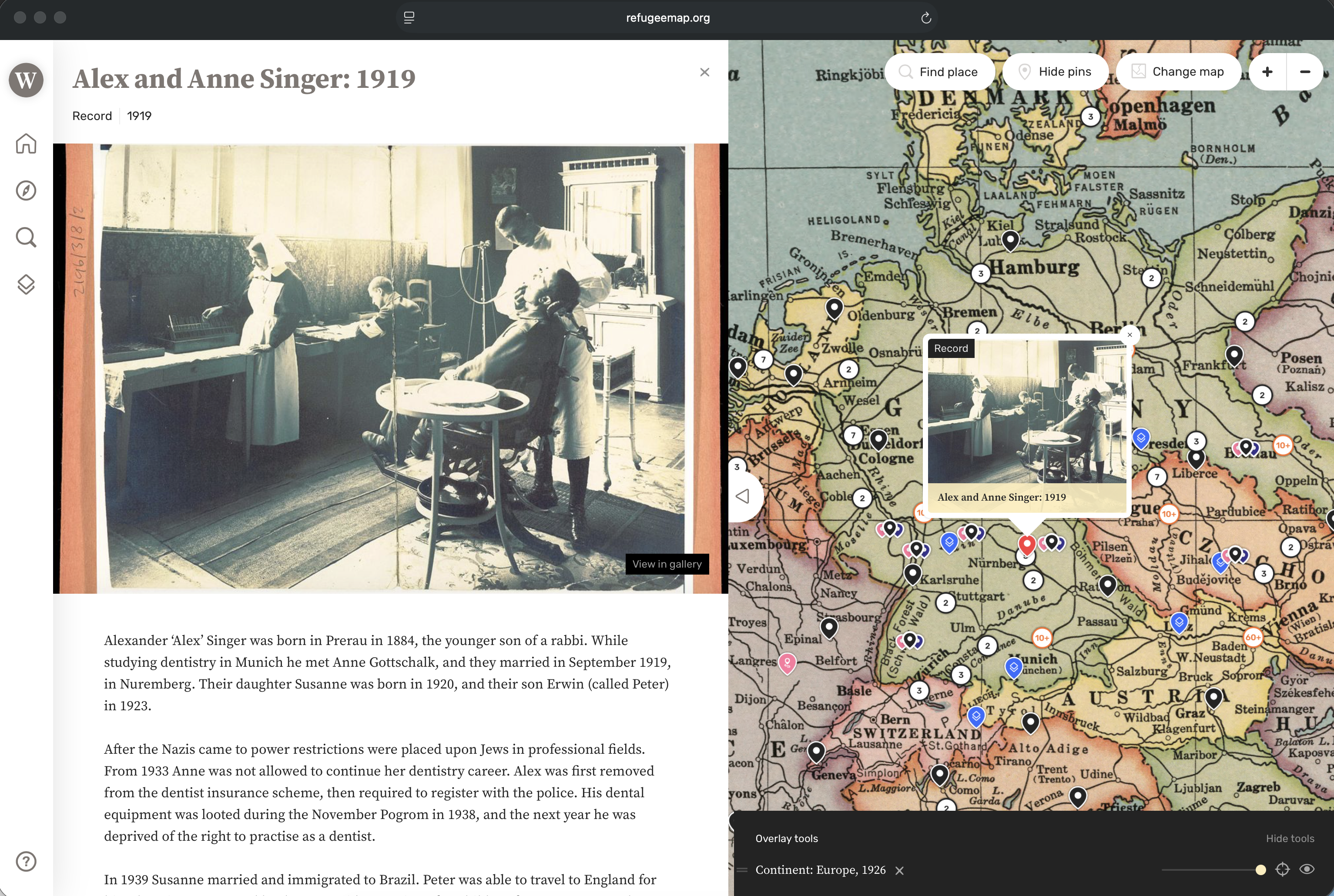
Image credit:
Record: Alex and Anne Singer: 1919
Historical map: Continent: Europe, 1926 courtesy of the David Rumsey Map Collection

Can Humap interoperate with other GIS tools?

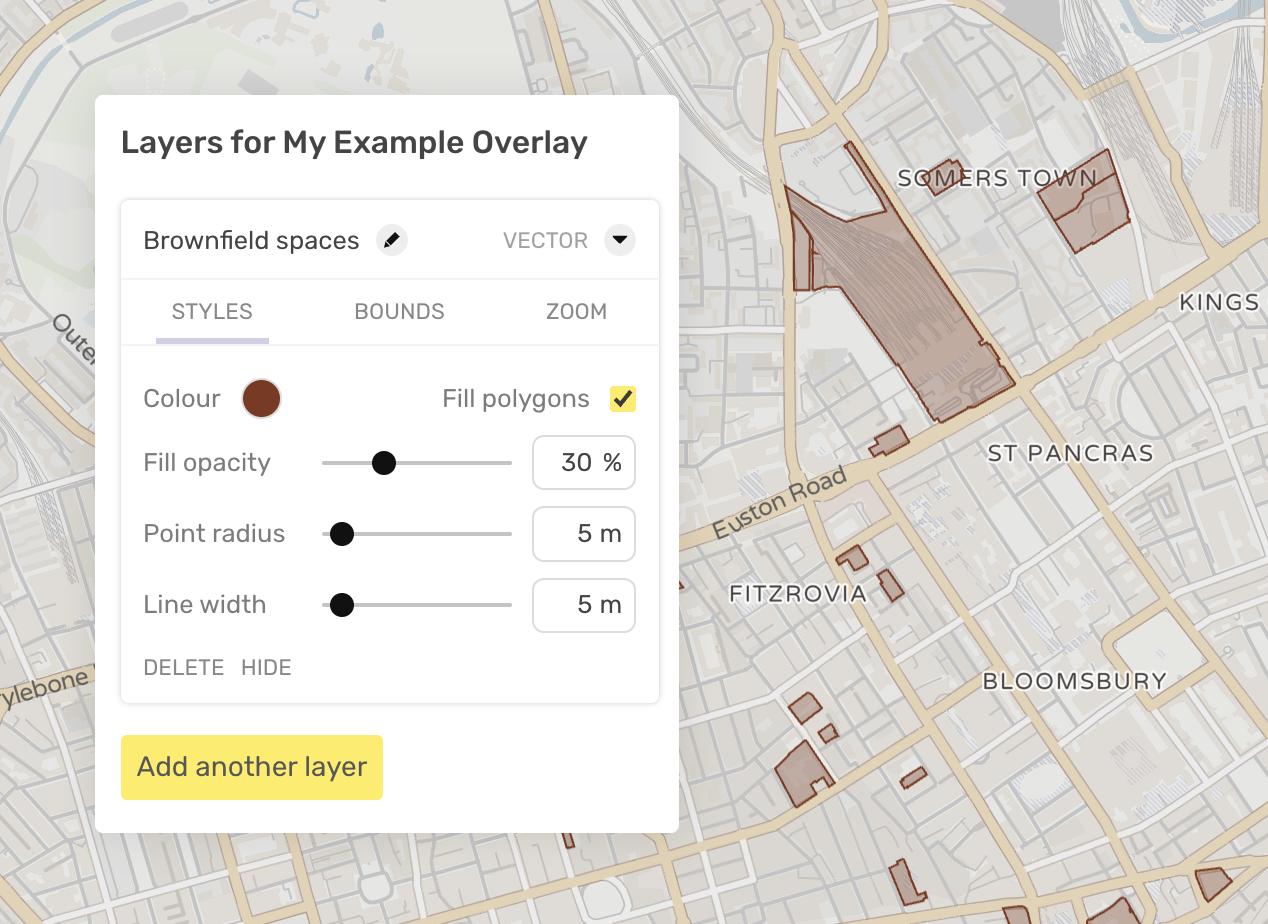
While Humap can’t integrate directly with other GIS solutions like ArcGIS or QGIS, data created in those programs can be imported into Humap and presented via our overlay feature.

Vector spatial data and georeferenced raster images of historical maps can easily be embedded into Humap. Users can then view these on top of a base map, comparing and contrasting it with other overlays. 

Humap can georeference high quality scans of historical maps for an additional fee.

Polygons created in Humap via our Annotator tool can also be exported out of Humap and into ArcGIS or QGIS.

How to use the overlay wizard | How to add overlays from ArcGIS and QGIS

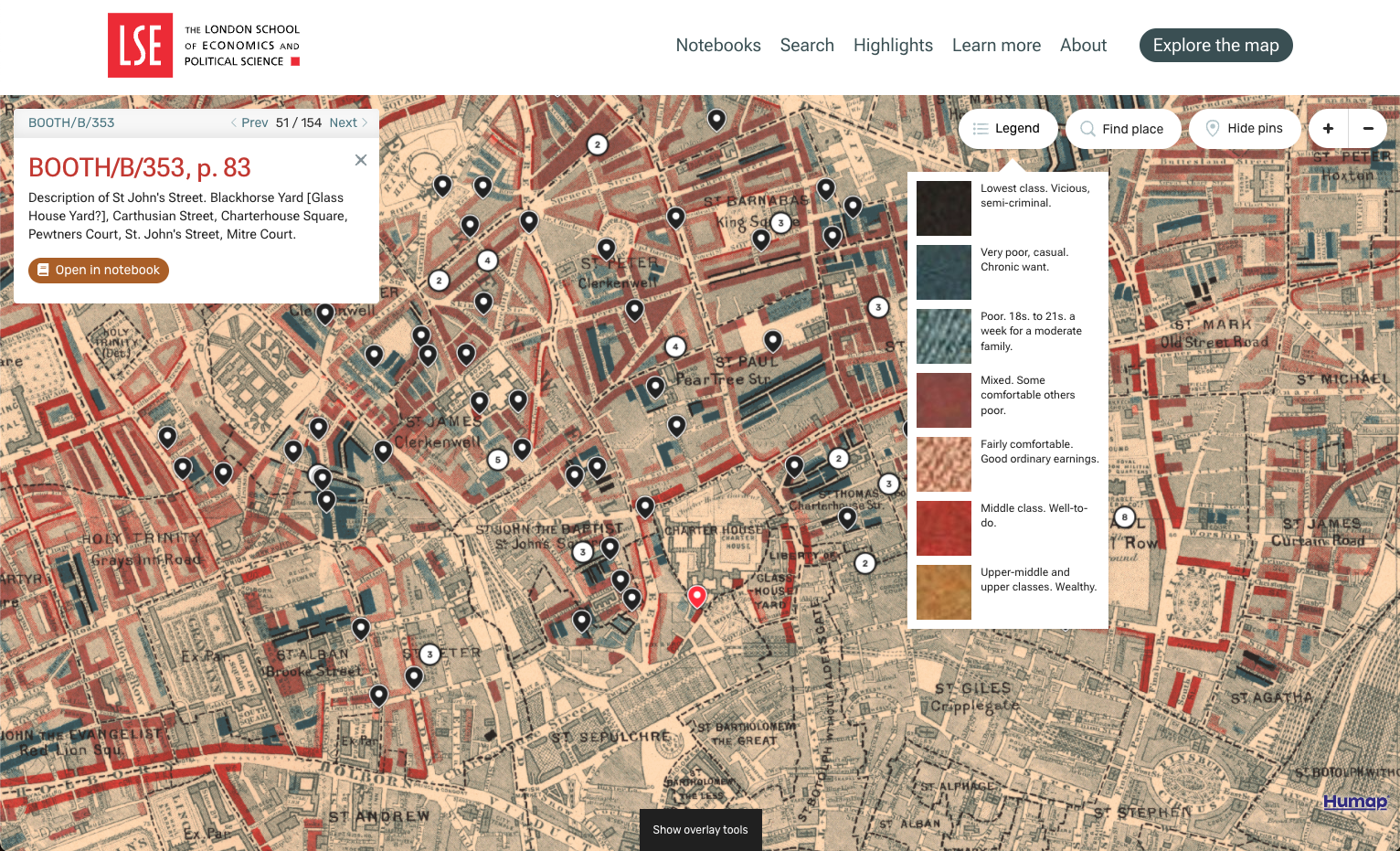
Image credit: Charles Booth’s London

A screenshot of the map interface of Charles Booth's London

GIS FAQs

What map projection do we use? Will you add other projections?

We store data in Mercator (EPSG 4326) and present it using Web Mercator (EPSG 3857). At present we have no plans to add other projections.

Which base map service do you use? 

Humap uses the OpenStreetMap base map and underlying geospatial data, along with Maptiler for styling different versions of the base map.

How is geospatial data stored?

Geospatial data is stored in a PostGIS database, an industry standard for storing geospatial data for the web.

Can we export the data we put into Humap?

Yes, as a Geographic JSON ( geojson) file. Stored media files are exported separately and referenced to in the geojson file.

How are vector and raster maps uploaded into Humap?

Vector or raster data is known as an ‘overlay’ within the Humap platform. You can upload a geojson file or paste the URL of an overlay that is hosted elsewhere. If your raster image (typically a historical map) is georectified, we can upload the image to our servers and add it to your project for you. We hope to develop this feature as a self-service option in the near future. Vector data can be uploaded by yourself to add as an overlay using our overlay tools.

What GIS file formats can I upload to Humap? Can I upload a Shapefile?

Polygon and point data can be imported using geojson. At present Shapefiles are not compatible but is on the Humap development roadmap for future release.

What's next?

Video tour

Learn how Humap fits with your project in this 5 minute video

Watch now

Get started

Book a demo with us, and we'll activate a project for you

Book demo

Contact us

Get in touch via email or telephone

Contact us